White-Label Client Portal: What a Cold Email Agency Actually Needs
What is HotHawk?
HotHawk is cold email software used by teams like yours to send high volume cold email.
Special offer
Get 50% more sending, FREE.
50% extra sending on any plan, every month.
On this page
Most agencies buy a client portal twice. The first one is a generic portal bolted onto the stack, and it gets quietly abandoned within a quarter because it holds files and dashboards nobody asked for. The second is chosen against an actual list of requirements.
This is that list. Not a roundup of products, and not an explainer of what “white-label” means, but the specification a portal has to meet before it survives contact with a cold email engagement.
The short version
- A portal earns its keep by delivering positive replies, not by storing files.
- Visibility controls matter more than branding: decide what each client cannot see.
- The login model decides whether clients bother. One portal per client beats a shared tool.
- Per-client pricing charges you more exactly as you grow, which is the wrong shape.
- The reporting a client wants is replies and opportunities, not opens and clicks.
Requirement one: it delivers replies, not files
The thing a cold email client is paying for is conversations with buyers. So the portal’s primary job is to put positive replies in front of them quickly, with enough context to act.
Generic client portals treat this as an afterthought, because they were built for agencies that deliver artefacts: designs, reports, invoices. A cold email agency delivers a named person at a named company who said yes. If your client has to read a monthly PDF to learn that, you have lost most of the value.
What that means in practice:
- Positive replies surface in the portal as they happen, not on a reporting cycle.
- Each one carries the thread, the company and enough history that the client can reply or book without asking you for context.
- Replies that are not positive stay out of the way. Nobody wants their client reading every “unsubscribe me”.
Requirement two: visibility controls, decided deliberately
Branding is the easy part of white-label. The hard part is deciding what each client is allowed to see, and most agencies get bitten by not deciding at all.
Think of it as three tiers:
- What the client should see. Positive replies, opportunities, meetings booked, and results at a level they can understand.
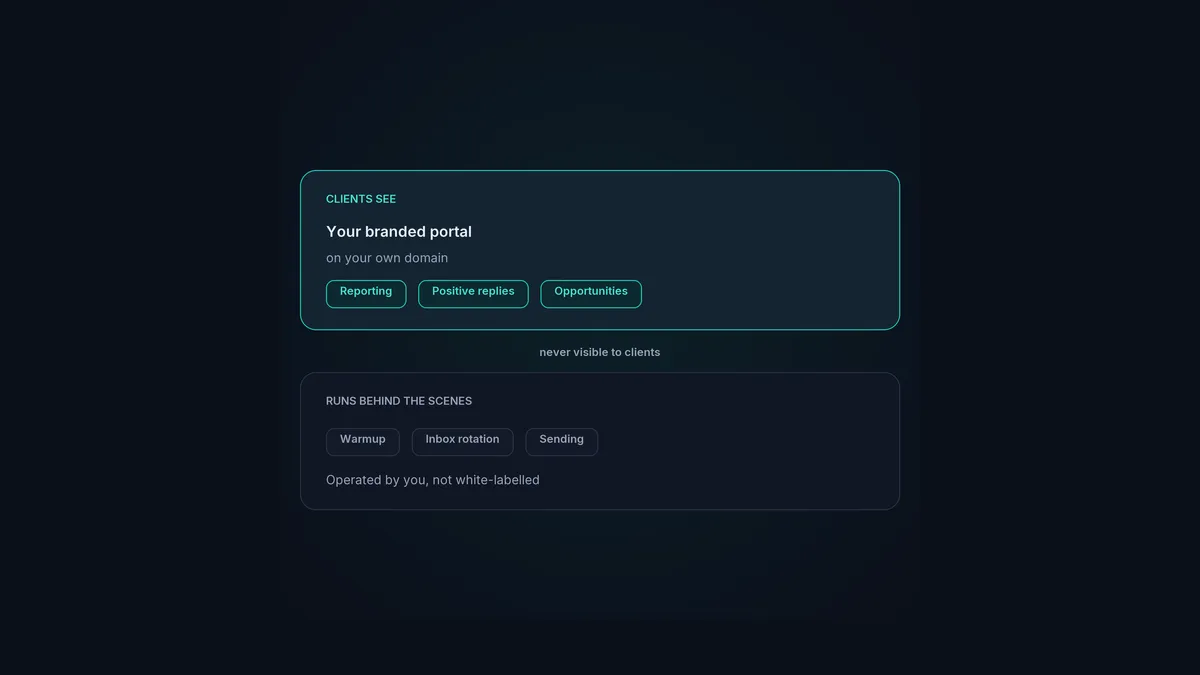
- What the client should not see. Your mailbox infrastructure, your sending volumes per domain, your warmup arrangements, your other clients, and the name of the tool doing the work.
- What you have to decide about. Bounce rates, unsubscribe counts and raw send volumes. Some clients want them and will respect you more for showing them. Others will panic at a 2% bounce rate because they have no baseline for it.
Get this wrong in the generous direction and you have taught a client they could run this themselves. Get it wrong in the restrictive direction and you look evasive. The portal needs to let you choose rather than choosing for you.
Requirement three: a login model clients will actually use
A portal only works if clients go there. In practice that means each client gets their own login to something that looks like your product, on your domain, and sees only their own account.
The failure modes are predictable. A shared tool with client seats bolted on means your client logs into software branded as someone else’s, which undercuts the whole position. A portal on a subdomain of the vendor’s domain does the same thing more subtly. And a portal that requires you to manually assemble each client’s view will stop being updated the week you get busy.
Requirement four: pricing that does not punish growth
This is the requirement most often ignored at the point of purchase and most often regretted later.
Per-client pricing is the wrong shape for an agency. Every new client is a new fee, so the cost of the portal scales exactly with the thing you are trying to grow, and the portal becomes a line item you resent. Smartlead, for instance, prices its client portals as a per-client add-on. That is a perfectly reasonable commercial decision on their side, and it is still a cost that grows with your client count.
What you want is a flat price with unlimited client workspaces, so onboarding client number twelve costs the same as client number three.
Requirement five: reporting a client can read
The reporting question is where cold email agencies have an awkward conversation, because the metric clients ask for is usually open rate.
Open tracking works by embedding a tracking pixel, and tracked links work the same way. Both are well-known spam signals, which is why HotHawk does not offer open or click tracking at all. That is a deliberate trade: you lose a vanity metric and you stop carrying a deliverability risk for the sake of a chart.
So the reporting a portal should carry is the reporting that survives that choice, and it is the reporting that matters anyway:
- Replies, and specifically positive replies.
- Opportunities and their stage.
- Meetings booked.
- Bounce rate and deliverability health, if you have decided the client should see it.
If a client insists on open rates, the honest answer is that the number is unreliable even where it is available, and that a reply is not ambiguous.
How ClientBox meets this list
ClientBox is our own answer to the five requirements above, so treat this as a worked example rather than a neutral recommendation.
It is a white-label client portal on your own domain, with unlimited client workspaces. Each client logs in and sees only their own results. You control what is visible, positive replies are delivered to the client as they arrive, and the reporting is replies, opportunities and deliverability rather than opens.
ClientBox is on the Scale plan at $247 a month. It is not included on Starter at $97. The price is flat regardless of how many clients you put in it, which is the point of requirement four.
See how ClientBox works
Unlimited white-label client workspaces on your own domain, with positive replies delivered to each client automatically.
Explore ClientBoxWhere to go next
If you are earlier in the decision than this, two companion pieces cover the ground either side of it. Best client portal software for cold email agencies compares the available options rather than the requirements, and white-label cold email sets out what white-label does and does not cover before you promise anything to a client.
For the operational side of running the engagements themselves, the cold email agency guide is the pillar, and cold email for agencies covers how the sending, warmup and reply routing fit together underneath the portal.
